Wake up for Fajr on iPhone, even on Silent and Do Not Disturb
By Ali and Sofiya Khundmiri, makers of Waqt · Updated
Short answer
Use a real alarm, not a notification. Most prayer apps remind you with a notification, which iPhone keeps quiet on Silent and during Do Not Disturb or Sleep Focus. Since iOS 26, apps built on Apple’s AlarmKit can ring like the Clock app’s alarm, through Silent and every Focus, and move with Fajr each day.
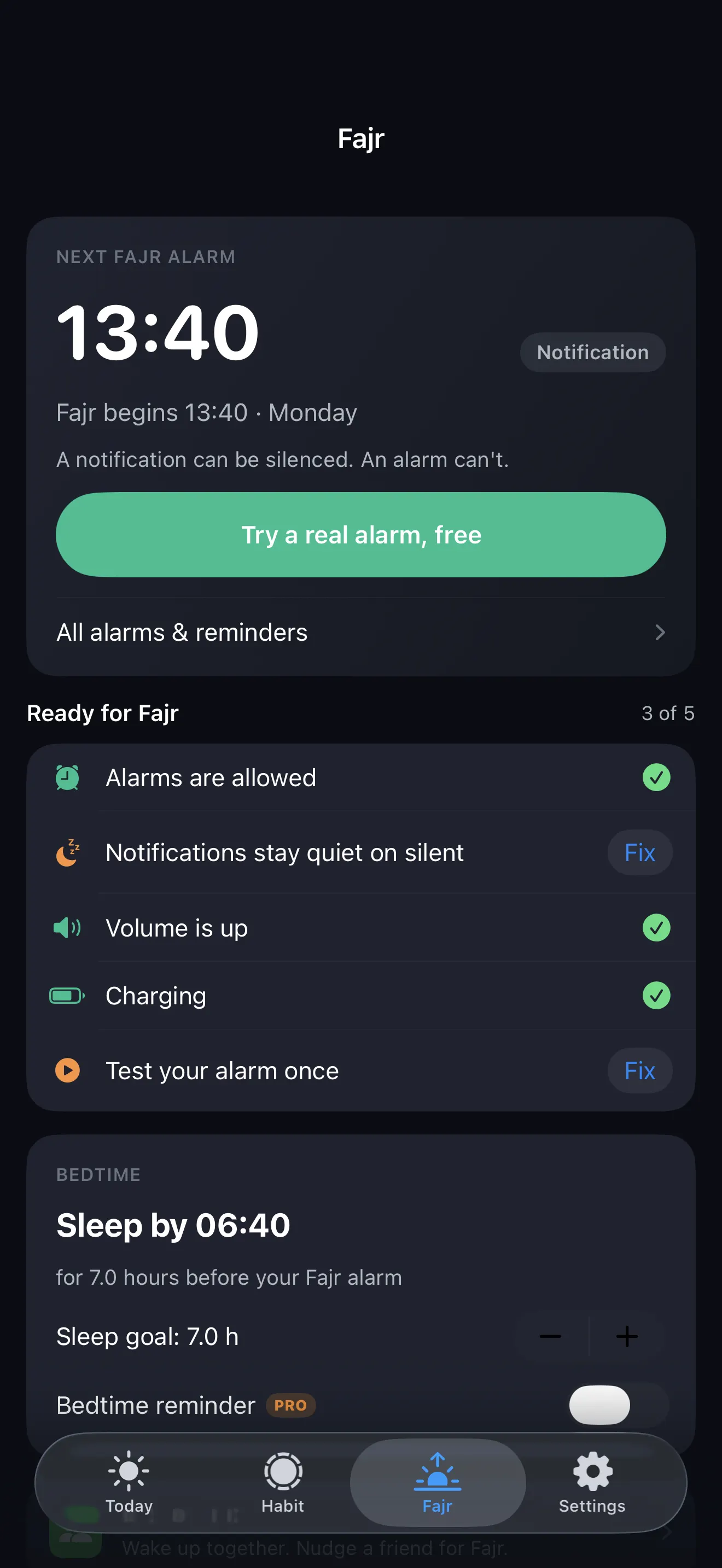
Let Fajr ring like an alarm
Waqt sets a real AlarmKit alarm for Fajr every night at the right time for where you are. It rings through Silent and Do Not Disturb. Premium, 7 days free.
The fix in 4 steps
- Use an alarm, not a notification. Pick a prayer app whose Fajr reminder is an AlarmKit alarm (iOS 26 or later). Or set a Clock alarm and move it every few days, because Fajr shifts daily.
- Allow alarms for the app. iPhone Settings → the app → turn on Alarms.
- Turn the volume up and test once. Alarms follow your ringer volume. Test it while you’re awake.
- Charge the phone out of reach. If you have to stand up to stop it, you’re more likely to stay up.
Then work back from Fajr to a bedtime that gives you enough sleep. The alarm only helps if you went to bed in time.
Quick questions
Why doesn’t my prayer app wake me for Fajr?
Most prayer apps use notifications. iPhone keeps notifications quiet on Silent, and Do Not Disturb and Sleep Focus hold them back. Alarms made with Apple’s AlarmKit are not affected.
Can a prayer alarm ring on Silent or Do Not Disturb?
Yes, if the app uses AlarmKit (iOS 26). AlarmKit alarms ring like the Clock app’s alarm, through Silent mode and every Focus.
Is Waqt’s Fajr alarm free?
Alarms are part of Waqt Premium, which has a 7-day free trial. The free version gives a notification at each prayer, which works if your phone isn’t on Silent or Do Not Disturb.
Free on iPhone · no account, no ads
Download WaqtSources: Apple: notification sounds · Apple: AlarmKit FAQ · MacRumors: iOS 26 third-party alarms · Yaqeen Institute: how to wake up for Fajr